New enquiryvia your page
Jess M.
- Date
- Sat 10 October
- Idea
- Fine-line peony with a small dagger through it
- Size
- Palm-sized, about 10cm
- Placement
- Outer forearm
- Budget
- Up to £300
- References
- 3 images attached

For tattoo artists
One link in your bio for open dates and proper enquiries. One calm book for clients, deposits, consent forms and reminders.
Invite-only while we onboard artists one at a time. Track-only money - nothing is charged through Inkframe. Got an invite link? It opens sign-up.
How it works
Inkframe doesn't change how people find you. It changes what happens after they tap your link.
Tap the days you want to work. They show on your public page straight away, and a day comes off again with one tap once it fills - no more "spaces left" stories.
Set it once, then keep posting as usual - every post and story points to the same place.
Every enquiry arrives with the details you used to chase for in DMs:
Both sides of the counter
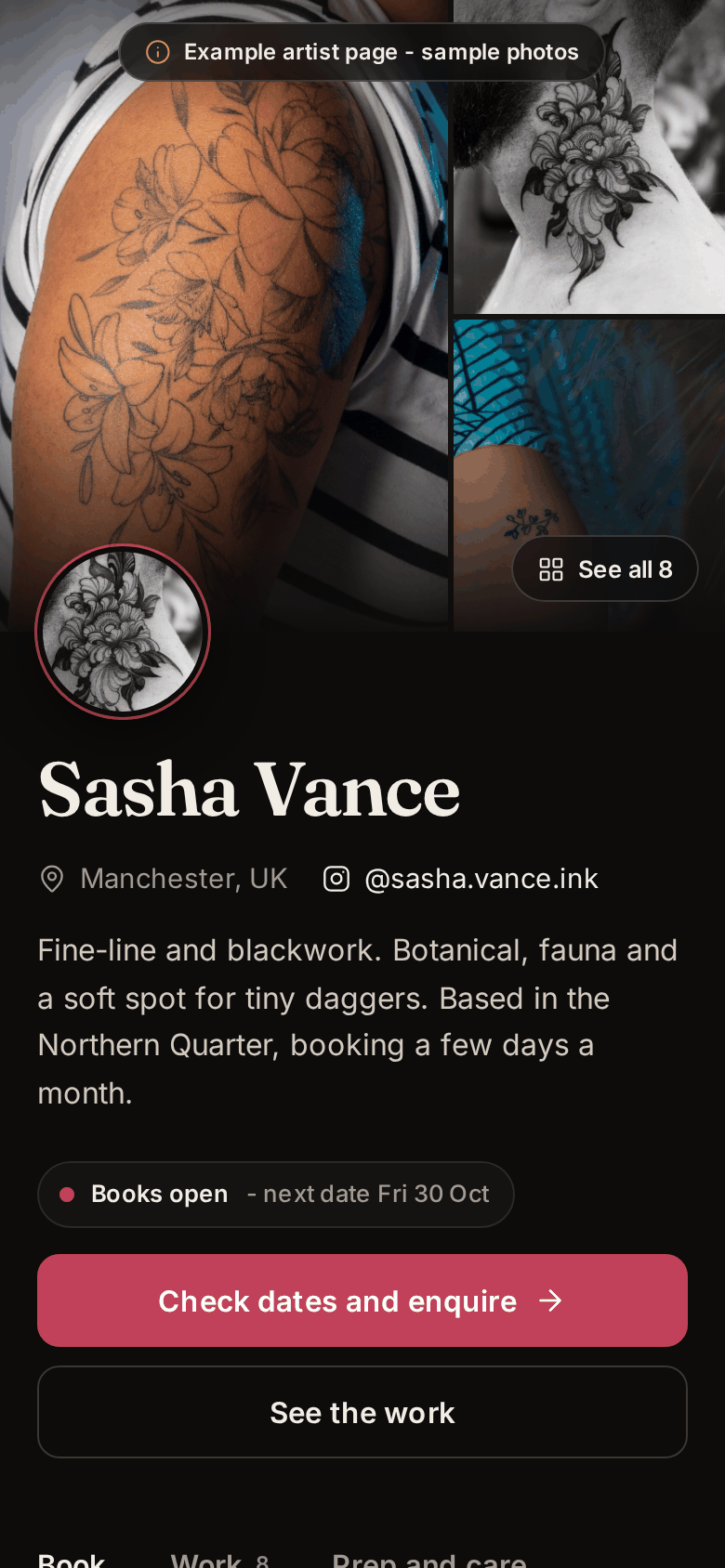
Your public page: open dates, recent work, flash and aftercare, with an enquiry form that asks the right questions.
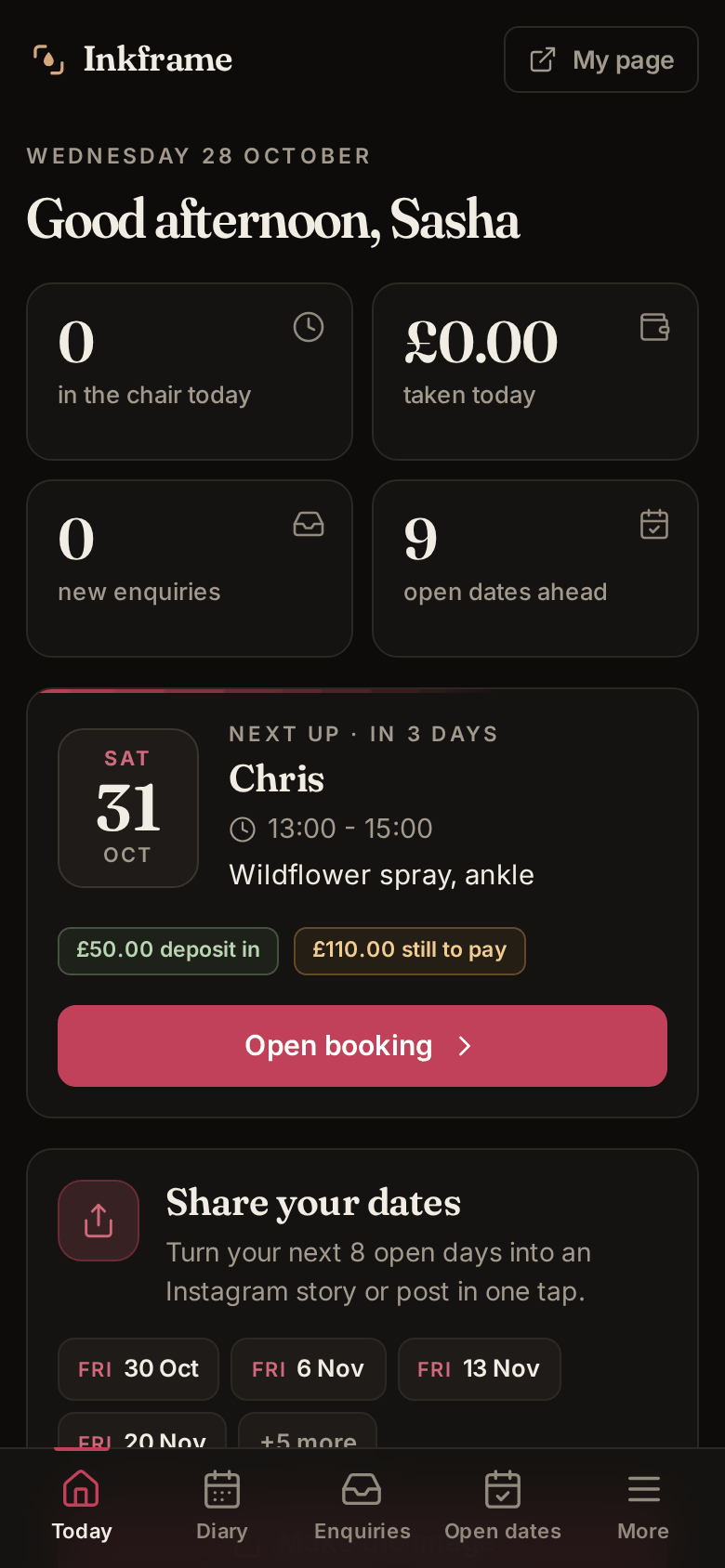
Your book: today's sittings, new enquiries, deposits owed and signed consent forms - on your phone, between clients.
Sasha Vance is our demo artist - her page works exactly as your clients would use yours.
What's in the book
Everything a working artist juggles between sittings, in one place - and nothing you don't need.
Every client and every sitting in one clean diary. Reference, stencil and healed photos live with the client, not lost in your camera roll.
Log deposits, see what is still owed, and your real take after chair rent or the studio split. You take payment your way - nothing is charged through Inkframe.
Open the days you want to work. Clients pick one and send an enquiry straight into your book.
Show recent work and post flash. A client claims a design and it is held for them until you are in touch.
Clients fill in the medical and consent form on their own phone. It arrives signed and dated, no clipboard.
A reminder email goes out the day before, with your prep notes. Your aftercare sits on your page for when they get home.
"Yes, book it in", "need more detail" or "pass politely", already filled with their name, the date and how you take deposits. It opens your own WhatsApp, texts, email or Instagram with the words ready - you press send.
When your books are closed, clients leave their details instead of drifting off. Open new dates and Inkframe drafts a message for each of them, ready to send from your phone.
A private calendar link puts every sitting and open day into Apple, Google or Outlook calendar, updated as you go. Client notes never leave Inkframe.
Solo today. Chair rent and percentage splits are built in, and the data is shaped so a studio view can follow.
Straight about it
Better you hear it here than find out mid-booking.
Straight answers
No. Keep posting - the feed is where people find you. Put your Inkframe link in your bio and stories, and let it handle the enquiries a post creates.
No - money is track-only. You log deposits and balances and take payment however you already do: cash, card reader, bank transfer. Nothing is charged through Inkframe.
Only you. Client details, photos and consent forms sit behind your login and never appear on your public page. The public page shows only what you choose to put there: open dates, portfolio, flash and aftercare.
Nothing is charged during the trial. Inkframe is invite-only while we onboard artists one at a time, and there is no billing in it at all yet. You would hear about any pricing well before it ever applied.
Email [email protected] with your Instagram handle and a line about how you work. You get a personal invite link: tap it, pick your page link and password, and a three-step guide gets your first dates open and the link into your bio - about five minutes. There is a real person on the other end if you get stuck.
Open your dates, put the link in your bio, and the next "books open" post sends people to it. From then on, enquiries arrive whenever your followers tap through.
Invite-only
We are onboarding artists one at a time. Tell us a little about how you work and we will be in touch.